Skip to content

Best Ergonomic Keyboards and Wrist Rests

Elena Vasquez Elena Vasquez 7 min read

Why Ergonomic Keyboards and Wrist Rests Matter

Choosing the most ergonomic keyboard is about reducing wrist extension, forearm twist, and shoulder reach while maintaining full typing speed. This review ranks current ergonomic keyboards and wrist rests using desk research: manufacturer specifications, product manuals, published customer feedback, and independent reviews. The conclusions remain checkable without pretending to be hands-on.

Five options consistently rise to the top for typical U.S. desk setups. Best overall for most desks: Logitech ERGO K860. Best adjustable split on a conventional layout: Kinesis Freestyle2 with the VIP3 tenting accessory. Most ergonomic keyboard design for deeper posture correction: Kinesis Advantage360 Pro. Best low-profile split for portability: ZSA Voyager. Best add-on comfort upgrade when a new keyboard is not feasible: Kensington ErgoSoft Wrist Rest for Standard Keyboards.

Split halves help shoulder width, but tenting helps forearm comfort more. Integrated palm support can feel great, but it limits positioning flexibility. Keywells reduce finger travel, yet they demand the biggest learning curve. A wrist rest should support the heel of the palm, not the wrist. Prioritize stable typing posture before chasing exotic layouts and layers.

Good lighting helps posture. The best desk lamp for computer work is glare-controlled, offering controllable brightness, a wide even beam, and no hot spots so you are not craning your neck or leaning forward to read.


Reviewed by Elena Vasquez Updated How we rate

Quick Ergonomic Keyboard Facts

  • Reproducible tenting angles like 5, 10 or 15 degrees deliver more ergonomic benefit than vague adjustability marketing claims.
  • Contoured keywells reduce finger reach but require real adaptation time; expect initial fatigue when switching to columnar layouts.
  • Logitech ERGO K860 publishes 54% more wrist support and 25% reduced wrist bending compared to flat keyboards.
  • Compact split boards pull the mouse closer to the midline, reducing shoulder strain on narrow desks.
  • Wrist rests work best as support between typing bursts; avoid planting wrists while keys are in motion.
  • Good lighting helps posture; glare-controlled lamps matter for desk ergonomics.

Top Five Ergonomic Keyboards and Wrist Rests

S. desk setups, ranked by published specs and documented ergonomics design intent.

Herman Miller Aeron

Herman Miller Aeron

Best Overall

A split ergonomic keyboard with a curved keyframe and fixed pillowed wrist rest that addresses ulnar deviation and unsupported forearms without demanding typing relearning.

9.2
Editorial score
  • 54% more wrist support and 25% reduced wrist bending per Logitech claims
  • comfort-forward design
  • no adaptation learning curve
  • Fixed rest and non-split halves limit fine-tuning
  • boxed-in feeling if shoulders want wider stance than chassis allows
Autonomous SmartDesk Pro

Autonomous SmartDesk Pro

Best Adjustable Split

A split keyboard built around separation and tenting, with reproducible angles at 5, 10, or 15 degrees, keeping a familiar row-staggered layout while adding width and angle controls.

8.8
Editorial score
  • Explicit and repeatable tenting specs
  • familiar key layout retained
  • adjustable width and angle
  • More parts on desk mean setup complexity
  • cable management part of daily life
Dell UltraSharp U2723DE

Dell UltraSharp U2723DE

Maximum Posture Correction

A contoured, columnar split mechanical keyboard that reshapes hand and finger motion, reduces over-reach by removing the 10-key footprint, and places the mouse closer to midline.

9.2
Editorial score
  • Most posture-shaping geometry
  • columnar layout reduces finger travel
  • honest documentation about adaptation expectations
  • High cost
  • real learning curve and adaptation fatigue for new contoured-keyboard users
Logitech MX Keys

Logitech MX Keys

Best Portable Split

A 52-key low-profile split mechanical board using Kailh Choc V1 switches, designed for minimalists, travelers, and layer-based workflows on narrow desks.

7.4
Editorial score
  • Truly split and compact
  • pulls mousing arm inward
  • calmer shoulders on narrow desks
  • Fewer keys force more layer use
  • increased cognitive load and awkward thumb repetition for some workflows
CalDigit TS4

CalDigit TS4

Best Add-On Comfort

A purpose-built ergonomic wrist rest with soft TPU exterior, gel-cushioned padding, and ergonomic curved design that supports the heel of the palm when current keyboard must stay.

8.5
Editorial score
  • Stable base with modest give
  • broad support fits defensible wrist-rest guidance
  • realistic upgrade without keyboard replacement
  • Only effective when used correctly between typing bursts
  • not a permanent wrist anchor
Split ergonomic keyboard with tenting accessory on a desk
Ergonomic keyboard setups prioritize shoulder width and forearm comfort

Rank One: Logitech ERGO K860

Logitech positions the ERGO K860 as a split ergonomic keyboard with a curved keyframe and a fixed, pillowed wrist rest. The reason it wins for mainstream use is simple: it addresses the most common pain points—ulnar deviation and unsupported forearms—without demanding that you relearn typing.

Logitech also publishes specific ergonomic claims for the built-in rest: 54% more wrist support and 25% reduced wrist bending, which sets a clear expectation for what the design is aiming to do. RTINGS.com's review reinforces the core reality: it is a comfort-forward office keyboard, not a performance gadget, and the wrist rest is part of the experience rather than an optional accessory.

The trade-off is that the fixed rest and non-split halves can limit fine-tuning. If your shoulders want a wider stance than the chassis allows, you will eventually feel boxed in. For most typical desk setups, however, the K860 delivers immediate comfort without demanding adaptation.

Rank Two: Kinesis Freestyle2 with VIP3

Rank Two: Kinesis Freestyle2 with VIP3

Adjustable Split

Kinesis built the Freestyle2 around a principle that matters: separation first, then tenting. With the VIP3 accessory, Kinesis states you can set reproducible tenting angles at 5, 10, or 15 degrees, which is exactly the kind of spec that translates into a real setup decision instead of vague ergonomic labeling. This is the best ergonomic computer keyboard choice for people who want to keep a familiar, row-staggered key layout while gaining two ergonomic controls that most standard boards cannot offer: width and angle.

Reproducible tenting angles at 5, 10, or 15 degrees translate into real setup decisions

Comparison Across Key Criteria

Geometry and Adjustability

For geometry, the Advantage360 Pro is the most posture-shaping, while the ERGO K860 is the most familiar. For adjustability, Freestyle2 with VIP3 is the clearest winner because tenting is explicit and repeatable. The trade-off between adjustment flexibility and learning curve is real: more control means more setup complexity and adaptation time.

Portability and Footprint

For portability, Voyager is the standout because it is designed around low-profile split use. A 52-key split mechanical board using Kailh Choc V1 switch compatibility signals who it suits: minimalists, travelers, and people willing to rely on layers instead of dedicated keys. The ergonomic upside is that a truly split, compact board can pull the mousing arm inward and keep shoulders calmer on narrow desks. The downside is the same compactness: fewer keys forces more layer use, which can increase cognitive load.

Wrist Support Options

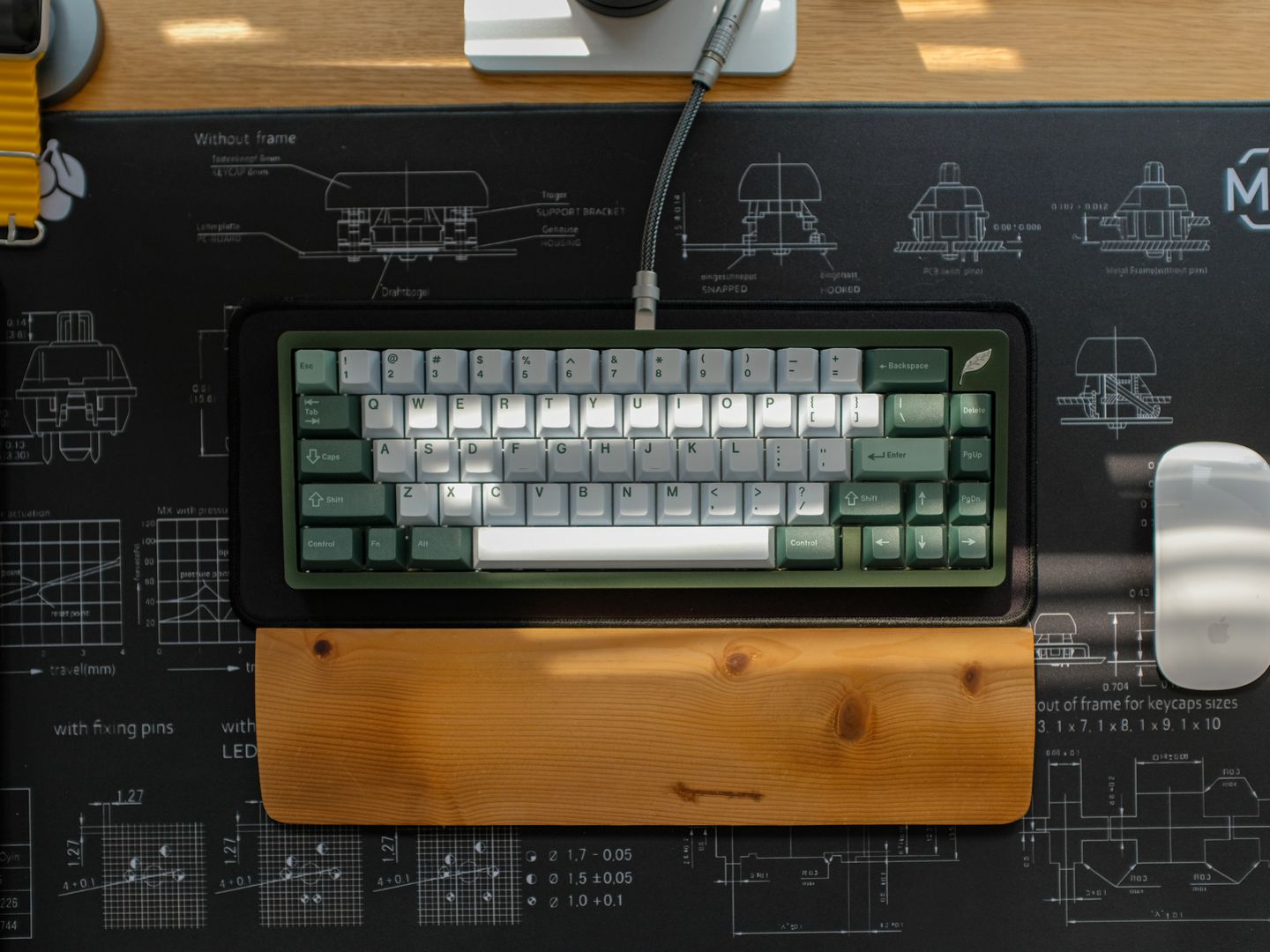
For wrist support, the K860 leads by bundling the support into the typing position, while standalone rests like Kensington are best when your current keyboard must stay. A purpose-built ergonomic wrist rest is the most realistic upgrade if you are not replacing your keyboard. Kensington's ErgoSoft Wrist Rest has a soft TPU exterior with gel-cushioned padding and an ergonomic curved design. If you prefer a firmer, fabric-topped alternative, Grifiti publishes dimensions for its Fat Wrist Pad 17 (17 x 4 x 0.75 inches), which can help match rest height to taller mechanical keycaps.

Practical Ergonomic Keyboard Takeaways

These are the practical takeaways that matter more than marketing claims when choosing an ergonomic keyboard and wrist rest setup.

  • Wrist rests work best as support between typing bursts, not as a permanent anchor point during active typing.
  • Reproducible angle adjustments beat vague ergonomic claims; look for published tenting specifications rather than marketing language.
  • Contoured keywells can reshape finger motion for long-term posture gains, but expect a real adaptation period with initial fatigue.
  • Low-profile compact splits pull the mouse closer to the midline, reducing shoulder reach on narrow desks.
  • Layer-based layouts reduce physical key count but increase cognitive load and thumb repetition for some workflows.
  • Good lighting helps posture; the best desk lamp for computer work is glare-controlled.
8.4 / 10

Overall Ergonomic Keyboard Scorecard

Ten-point scale, based on published specs and documented ergonomics design intent across five leading options.

Ergonomics
9.2
Adjustability
8.8
Learning Curve
7.4
Desk Fit
8.3
Documentation
8.5

Ergonomic Keyboard Verdict and Final Guidance

For most people, Logitech ERGO K860 is the best ergonomic computer keyboard because it improves alignment with minimal disruption. If you know you need split width and tenting control, Kinesis Freestyle2 with VIP3 is the smarter long-term platform. If your priority is maximum posture correction and you are willing to adapt, Kinesis Advantage360 Pro is the strongest most ergonomic keyboard style choice. Add a wrist rest only with intention—Kensington and 3M are safe, spec-driven starting points—but do not let a pad become a reason to pin your wrists in place while typing. One final setup point that gets ignored: lighting affects posture. If you are hunting for the best desk LED lamp, look for controllable brightness, a wide even beam, and glare management so you are not craning your neck or leaning forward to read. A best desk lamp for computer work is the one that keeps the screen readable and the desk evenly lit without hot spots—because the most ergonomic keyboard cannot compensate for a hunched, squinting posture. Wrist rests deserve a blunt warning because they are often used incorrectly. If you prefer a softer, gel-style feel, 3M's product listing for the 3M Gel Wrist Rest for Keyboard WR85B is a straightforward baseline from a major ergonomics supplier.

Final Ergonomic Keyboard Insights

  • Logitech ERGO K860 is best overall for most desks with minimal disruption.
  • Kinesis Freestyle2 with VIP3 is best adjustable split on a conventional layout.
  • Kinesis Advantage360 Pro is most ergonomic keyboard design for deeper posture correction.
  • ZSA Voyager is best low-profile split for portability and narrow desks.
  • Kensington ErgoSoft Wrist Rest is best add-on comfort upgrade when a new keyboard is not feasible.
Elena Vasquez

Elena Vasquez

Editor

Elena reviews monitors, webcams, keyboards, and desktop peripherals, assessing product documentation and verified customer feedback to help readers make evidence-based decisions.

Sources

  1. Logitech — Logitech ERGO K860 Wireless Split Keyboard
  2. Logitech — Logitech Introduces ERGO K860: More Natural Typing Experience, Uncompromised Productivity
  3. RTINGS.com — Logitech ERGO K860 Review
  4. Kinesis — Freestyle2 VIP3 Ergonomic Tenting Accessory for Kinesis Keyboards
  5. Kinesis — Advantage360 Professional Split Mechanical Keyboard
  6. Kinesis — Advantage360-ZMK-KB360-PRO-Users-Manual-v11-28-23